


HanGraphy
4.26.00 Reviews
App Specs
- Version
- 1.0.14
- Updated On
- License
- Free
- Downloads
- 10,000+
- Developer
- Tooning Inc
- Categories
- Comics
- Platform
- Android
Screenshots
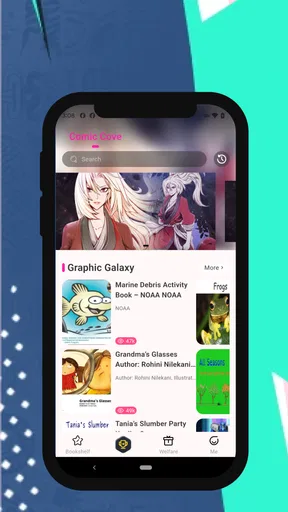
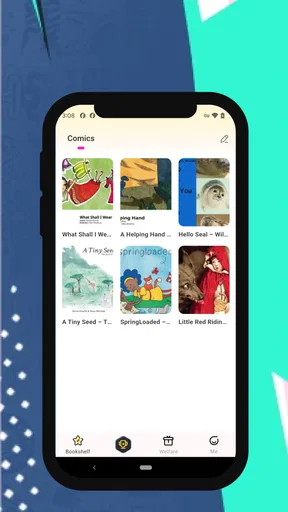
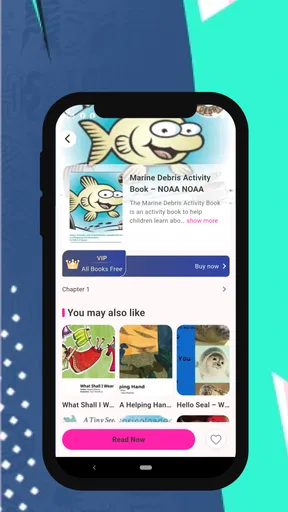
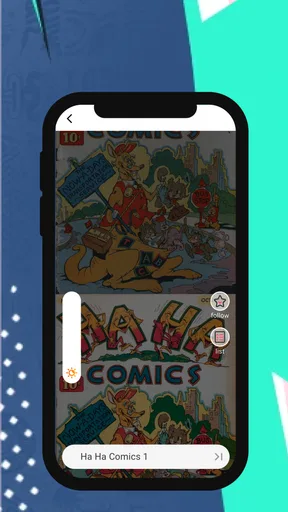
 Analysis by AppCompare
I approached HanGraphy as a comics reader rather than as a casual app to open once and forget. Developed by Tooning Inc, it sits in the comics category and focuses on colorful manga and illustrated stories with a strong visual personality. The app is free to download, which makes it easy to try, but its Mature 17+ rating is an important part of the decision: this is not a reading space I would hand to a child without checking the material first.
My first impression was that HanGraphy is most appealing when I treat it as a dedicated reading habit. Instead of browsing endlessly and hoping something catches my eye, I get more from choosing a small reading window, opening a title with a clear mood in mind, and giving the artwork time to work. That sounds simple, but it changes the experience. The service feels less like a general-purpose comic archive and more like a focused place for readers who enjoy color, character-driven presentation, and the particular rhythm of manga-style storytelling.
The app has an average rating of 4.2 from around 70 ratings, with a smaller group of written reviews behind that score. I would read that as encouraging but still early feedback rather than definitive proof that it suits everyone. Its audience is also still developing, with over 10 thousand installs. In practical terms, HanGraphy feels like an app worth exploring if its visual direction matches your taste, not one I would recommend blindly to every comics reader.
How I use HanGraphy for a reliable reading routine
I use this section to explain how I turn HanGraphy from an occasional browse into a routine that is easy to return to: choosing a sensible stopping point, keeping the phone comfortable to read, and making the session fit the time I actually have. I’ll also look at what I do when the reading flow gets interrupted, so the next section can focus on recovering without making a small snag feel like a reason to abandon the app.
Start with a short, deliberate session
My baseline workflow is intentionally uncomplicated. I open the app when I have enough attention for a chapter or a few pages, rather than using it as background entertainment while doing something else. Comics depend on panel order, facial expressions, color contrast, and pauses between moments. Reading too quickly, especially on a small phone, can make a carefully staged scene feel flat.
A useful everyday scenario is an evening commute or a short break after work. I choose one story before I start, keep the phone in a comfortable orientation, and avoid jumping between several titles every few seconds. This helps me judge the writing and artwork separately from the excitement of constant discovery. If I only have a minute or two, I would rather leave the app closed than begin a chapter I cannot enjoy properly.
For new users, I recommend spending the first session learning the reading flow instead of immediately trying to build a huge library. Notice how pages advance, how the artwork fits the screen, and whether your eyes prefer a brighter or darker environment. These small observations matter more than they might in a text-heavy reading app because a comic can look excellent in one display setup and tiring in another.
Worth Reading Before You Choose

Flipboard Shows What News Apps Must Do Beyond the Feed

Switching to Android Auto Means Rethinking Your Driving Routine

Google Calendar Makes a Crowded Week Easier to Manage

Ludo King Makes the Most of the Minutes Between Plans

Baby Panda World Brings Quick Play to Modern Phones, but Its Game Library Feels Busy

ESPN’s Live Game View Makes Following Close Games Easier
Read for visual rhythm, not only plot
HanGraphy’s strongest identity comes from the combination of comics, manga, color, and character-focused presentation. I found that the app makes more sense when I pay attention to composition. A wide panel may need a moment before the next swipe, while a sequence of narrow panels can feel rushed if I advance automatically out of habit.
That is one of the less obvious advantages of using a dedicated comics app: it encourages a different reading posture from ordinary articles or ebooks. I hold the phone closer, pause at dialogue-heavy scenes, and occasionally move back to inspect a detail that disappeared during a fast swipe. Readers who usually skip artwork to reach the text may not get the full value here.
There is also a trade-off. A visually rich presentation can make the app feel more demanding than a plain text reader. Long sessions may be tiring if the screen is too bright or if the text appears small on your device. I would not judge the catalog only from a quick glance at a thumbnail. The real test is whether the page remains comfortable after several minutes of continuous reading.
Keep discovery separate from reading
One habit that improved my experience was separating browsing from reading. When I mix the two, I spend more time scanning covers and less time finishing anything. I now treat the opening screen as a place to choose a direction, then switch into reading mode with a specific intention. Even without inventing complicated systems, this makes the app feel calmer and reduces the temptation to abandon a story at the first slower scene.
This approach is especially useful for readers who already have several comics apps installed. HanGraphy does not need to replace every other service to earn a place on the phone. I use it when I want a colorful, character-led reading session, while a broader comic platform may be better when I am searching for a particular established series or a very large back catalog.
What I check before settling in
The age label deserves attention before any reading routine becomes automatic. HanGraphy is rated Mature 17+, so I would check the description and surrounding context of a title rather than assuming that every comic is suitable for the same audience. This is also relevant when sharing a device with younger family members. A free app can still contain material that requires an adult reader’s judgment.
I also keep the app updated when an update is available. The current version is 1.0.14, and staying current is a sensible way to benefit from the developer’s ongoing maintenance without assuming that every change will transform the reading experience. I do not treat the version number as a reason to install or avoid the app; comfort, content, and reading habits matter more.
Settings worth checking before a long session
My first settings check is practical rather than technical: I look for anything that affects reading comfort, such as display behavior, page movement, or the way content fills the screen. I avoid changing several options at once. If the page suddenly feels awkward, I want to know which adjustment caused it. This one-change-at-a-time method is more useful than copying someone else’s preferred setup because phones differ widely in size and aspect ratio.
Brightness is another small but important choice. For a dark room, I lower the phone’s brightness before blaming the comic’s colors. During the day, I raise it only enough to keep panels clear. Strong color can look attractive in a store preview but become harsh when the screen is pushed too bright. I also give my eyes a short break between chapters, especially when the artwork uses high contrast.
Orientation is worth testing rather than assuming. Portrait mode is usually convenient for one-handed reading, while a wider view can help with broad panels or dialogue that feels cramped. If a page looks too small, I first try rotating the phone before repeatedly zooming. Constant zooming breaks the flow and makes it easier to lose the intended order of panels.
I would also inspect notification behavior and any reading-related controls available on the device. I prefer not to let unrelated alerts interrupt a dramatic scene. This is not a special HanGraphy feature; it is a repeatable phone habit that makes the app better to use. A focused reading session depends as much on the surrounding device settings as on the comic reader itself.
How I avoid accidental spending
HanGraphy is free, but it includes in-app purchases ranging from $2.99 to $199.99 per item. That range makes it sensible to understand the purchase path before browsing deeply. I would keep purchase authentication enabled on the phone and avoid tapping unfamiliar buttons simply to see what happens. Free entry is useful, but it should not be confused with unlimited access to every possible item or action inside the app.
My preferred workflow is to read normally first and decide later whether a paid option adds enough value. I do not make a purchase because I feel rushed by a cliffhanger or because a colorful presentation creates pressure to continue immediately. This is particularly important for shared devices, where another person might be tempted to tap through a purchase screen without understanding the cost.
The wide purchase range also changes who I would recommend the app to. A careful adult reader who is comfortable managing optional spending can try it without paying upfront. Someone looking for a completely purchase-free comics experience should choose a service built around that model instead. The price of entry is zero, but the full experience may involve decisions that deserve attention.
Faster patterns for experienced readers
Once I know which kind of story I want, I use a simple three-step pattern: decide the mood, choose one title, and read until a natural stopping point. The first step prevents random browsing, the second prevents app-hopping, and the third keeps the session from becoming an endless scroll. It is a small routine, but it makes the app feel much more purposeful.
Another useful pattern is to give a new comic a fair but limited trial. I read enough to understand its pacing and visual language, then decide whether it deserves another session. If the artwork is attractive but the dialogue does not hold my attention, I do not force myself to continue. Conversely, if the opening is slow but the characters are interesting, I give it a little more time instead of judging it only by the first screen.
I also use pauses as a tool. After a major reveal or a page with several speech bubbles, I stop before advancing. This sounds obvious, yet fast touchscreen reading encourages the opposite behavior. A deliberate pause can reveal visual clues that are easy to miss and helps separate one scene from the next. For manga and comics, that is a genuine improvement over treating every swipe as a race.
When reading in short breaks, I stop at a clear panel or chapter boundary rather than midway through a conversation. That makes it easier to return later without rereading several pages. It also protects the experience from the common problem of opening an app during a five-minute gap and leaving with a half-remembered scene instead of a satisfying reading moment.
Where HanGraphy fits beside usual alternatives
Compared with a general ebook reader, HanGraphy is better suited to visual storytelling because the artwork is not an accessory to the text. Compared with a broad comics marketplace, its appeal is more focused: I would choose it for the feel of its presentation and the kind of colorful reading it encourages, not automatically for the largest possible selection.
A conventional web browser may be more convenient for someone who reads only occasional free previews or follows links from many different publishers. A large subscription service may be a better match for readers who want one predictable monthly arrangement and a deep, familiar catalog. HanGraphy makes more sense for someone who wants a dedicated app, is comfortable exploring its particular selection, and values the reading atmosphere as much as the search function.
That comparison also explains its limitation. If your priority is finding one exact series, comparing many publishers, or keeping all reading under a single established account, another option may be less frustrating. I would not install HanGraphy expecting it to behave like every major comics platform. Its value depends on whether its own selection and visual character appeal to you.
Advanced limits I noticed in the decision process
The first limit is catalog fit. A comics app can be polished and still fail for a reader whose favorite genres or series are not represented in the way they expect. I would therefore install HanGraphy with an open mind, not with a fixed promise that it will replace an existing library. The app is easier to appreciate when I judge it on the experience it offers rather than on an imagined comparison with a much larger service.
The second limit is the difference between free access and long-term value. Because optional items can cost substantially more than a casual impulse purchase, regular use requires discipline. I set a personal rule: I only consider paying when I know I will return to the content, and I check the purchase wording carefully first. That habit keeps the free starting point from turning into an accidental commitment.
The third limit is audience suitability. The Mature 17+ label means parents, guardians, and anyone sharing a tablet should treat content selection as part of setup, not as an afterthought. I would not rely on the bright artwork or friendly character design to indicate suitability. The age rating is the more useful signal when deciding who should use the app.
There is also a comfort limit that depends on hardware. A small screen, poor brightness control, or a battery-saving display mode can make detailed comics harder to enjoy. If reading feels cramped, I would test the same session at a different time of day and with a different orientation before deciding that the app itself is the problem. Still, readers who mainly use older or very small phones may prefer a simpler text-first option.
Who I would recommend it to
I would recommend HanGraphy to an adult reader who enjoys colorful manga and comics, likes discovering character-led stories, and is willing to build a focused reading routine. It is also a reasonable choice for someone who wants to try a free comics app before deciding whether optional purchases are worthwhile. The experience rewards attention more than frantic browsing, so patient readers are likely to get more from it.
I would be more cautious with readers who need a specific series immediately, want a completely purchase-free environment, or expect a huge universal catalog. I would also suggest another service for younger users because the Mature 17+ rating makes adult judgment essential. For those readers, HanGraphy is not necessarily bad; it is simply aimed at a narrower audience than the cheerful colors might initially suggest.
My final view after building a repeatable habit
HanGraphy works best when I use it intentionally: check the audience rating, adjust the phone for comfortable viewing, choose one story, and read at a pace that respects the artwork. Those habits reveal its strengths more clearly than a quick browse. The app’s colorful comics presentation gives it a distinct reason to exist, while the free starting point lowers the barrier to trying it.
At the same time, I would keep expectations realistic. The smaller install base and limited review history suggest an app that is still finding its audience, and the optional purchase range means careful spending matters. It is not my automatic recommendation for every comics reader, especially when a larger alternative already contains the exact series someone wants.
My verdict is positive with conditions. If you are an adult who wants a visually expressive comics app and enjoys forming your own reading routine, HanGraphy is worth exploring. Its best feature is not simply that it offers comics; it is the focused, colorful reading mood that appears when you stop browsing and give a story your full attention. Try it free, adjust the experience to your phone, and decide based on the titles and pacing that actually hold you—not on the promise of replacing every other app.
Pros
- Simple interface makes graph creation approachable for beginners.
- Supports visual learning through clear
- easy-to-read graph displays.
- Useful for practicing mathematical concepts on a mobile device.
- Lightweight app that should run smoothly on many Android phones.
- Convenient for quick graphing without needing a desktop computer.
Cons
- Advanced graphing features may be limited compared with specialist apps.
- Small screens can make precise point placement or editing difficult.
- Some functions may require time to learn without detailed guidance.
- Compatibility with complex equations or graph types may be restricted.
- The app may feel too basic for university-level mathematics users.
FAQs for HanGraphy
What is HanGraphy and what can I use it for?
HanGraphy is an app focused on helping users explore, study, and practice Chinese characters through visual information and structured learning tools. It is designed for learners who want to understand how Hanzi are formed, recognize character components, and improve memorization. Depending on the version and platform, the app may include character references, explanations, examples, or practice features for independent study.
Is HanGraphy suitable for complete beginners learning Chinese?
HanGraphy can be useful for beginners, especially those who want to become familiar with Chinese characters and their visual structure. However, it should not necessarily be treated as a complete Chinese course because learning pronunciation, tones, grammar, listening, and conversation requires additional resources. New learners may get the best results by using HanGraphy alongside a structured Mandarin course or a separate vocabulary and pronunciation app.
Does HanGraphy teach character pronunciation and meanings?
HanGraphy is primarily associated with the study and visual analysis of Hanzi, so its main value is understanding characters rather than replacing a full dictionary. Some entries may provide meanings, readings, examples, or related information, but the exact depth can vary by character and app version. Before relying on it for pronunciation practice, users should check whether audio, Pinyin, and regional reading support are included on their device.
Does HanGraphy require an internet connection or an account?
The connection and account requirements may depend on the platform version and the features you use. Basic character information may be available locally, while searches, updates, synchronization, or online content could require internet access. It is worth checking the app’s store listing and privacy information before downloading, particularly if you prefer offline study or do not want to create an account. Availability of features can also change after updates.
Is HanGraphy free to download, and are there in-app purchases?
HanGraphy’s pricing model can differ between Android and iOS and may change over time. The app may be offered as a free download, while certain advanced functions, expanded content, or an ad-free experience could require payment. Users should review the current store page before installing and carefully check subscription terms if displayed. Also confirm whether purchases are one-time payments or recurring charges, since this information can affect the overall cost of using the app.


